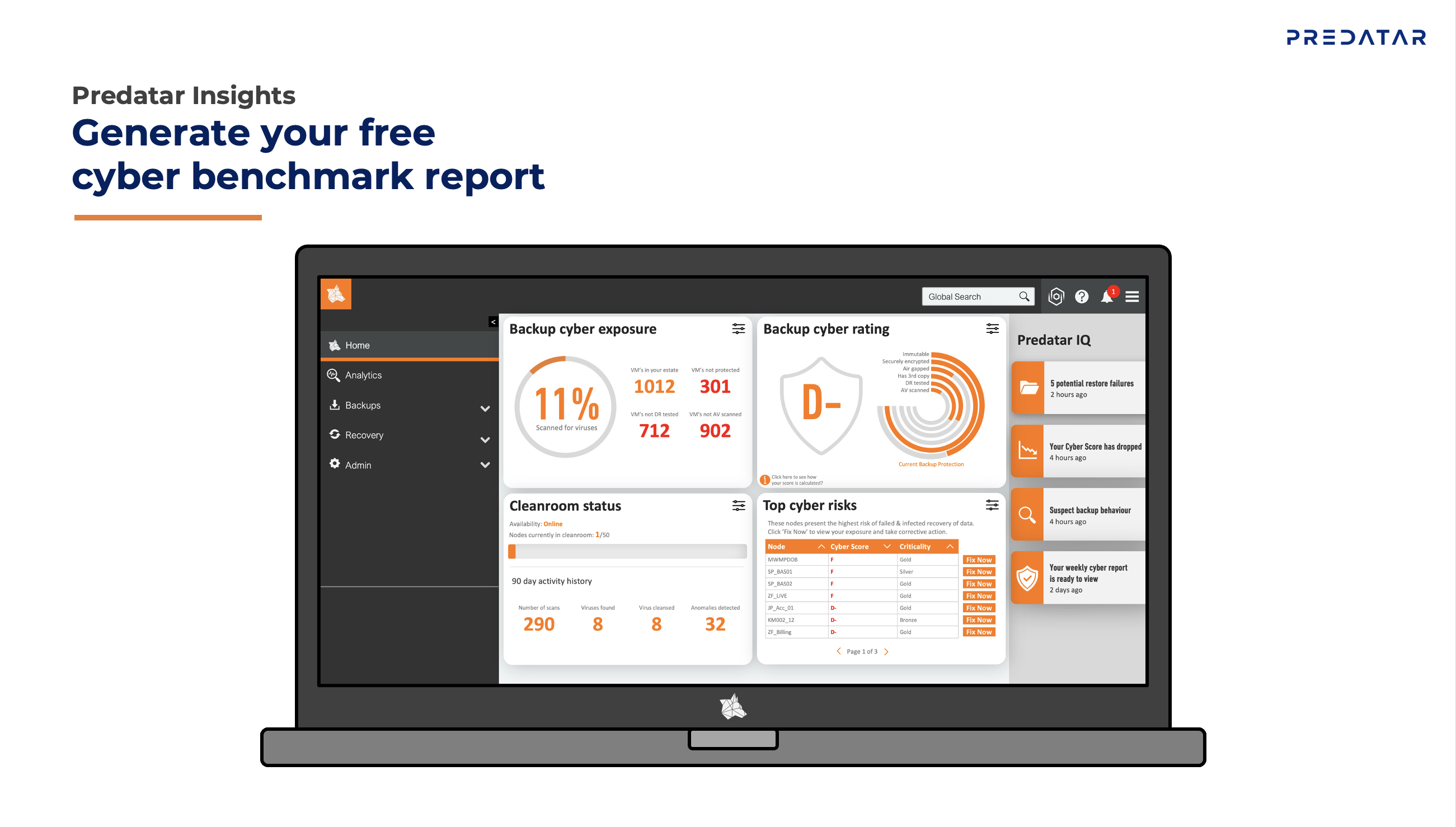
With the release of R18.1 "Black Widow," Predatar has launched a comprehensive update to its user interface, significantly improving the usability, presentation, and transparency of sensitive recovery data.
New GUI Makes Predatar Even More User-Friendly
The new GUI generation offers a simpler, clearer menu structure with reduced click paths to frequently used functions such as alerts, scan results, and recovery tests. At the same time, the dashboards have been fundamentally redesigned, so that important status and alarm information is immediately visible and easier to interpret.
Release R18 Also Adds Zerto Support
R18 also integrates support for Zerto environments into the GUI, so that recovery assurance is now transparently displayed for Zerto workloads within the same interface.
Overview of new and improved features
- Home screen and tiles: The redesigned home screen offers customizable tiles that summarize the status of backups, scans, and recovery tests at a glance.
- Node and client overview: The display of nodes and clients has been restructured – critical or faulty systems are immediately highlighted visually and can be analyzed with fewer clicks.
- Recovery test dashboard: Results from recovery tests, post-tests, and restore samples are now more clearly grouped and include a clear status indicator (Pass / Fail / Pending).
- Scan results overview: Malware scans and anomaly detections are displayed in a redesigned view with direct access to affected files and timestamps.
- Multi-platform view: The GUI provides a unified view across IBM Storage Protect, IBM Storage Protect Plus, and Zerto – without platform switching or separate tools.
Conclusion: Improved GUI Optimizes Cyber Resilience Monitoring in the Platform
For users, the GUI update means:
- less clicks required
- faster insights into the cyber resilience of the infrastructure
- greater transparency when monitoring backups and recovery tests.
With this, Predatar takes an important step towards even greater transparency and cross-platform cyber resilience monitoring.
Sources:
https://predatar.com/2026/02/27/predatars-gui-refresh-starts-here/
https://predatar.com/2025/12/16/creeping-closer-to-total-recovery-confidence-with-support-for-zerto/

Do you have questions about Predatar? Feel free to send me an email.
Michael Rantz, Service Engineer
Phone +49 160 1521054